Embroidery File Formats – Which One to Choose?
| Babar Ali
Embroidery brings logos, lettering, artwork, and custom designs to life with thread. But before a design can be stitched onto a garment, hat, patch, or other material, it needs to be saved in a format that the embroidery machine can understand.
Unlike a JPG or PNG, an embroidery file contains instructions for the machine. These instructions can include stitch placement, stitch sequence, stitch type, thread changes, design dimensions, and other information needed to reproduce the design.
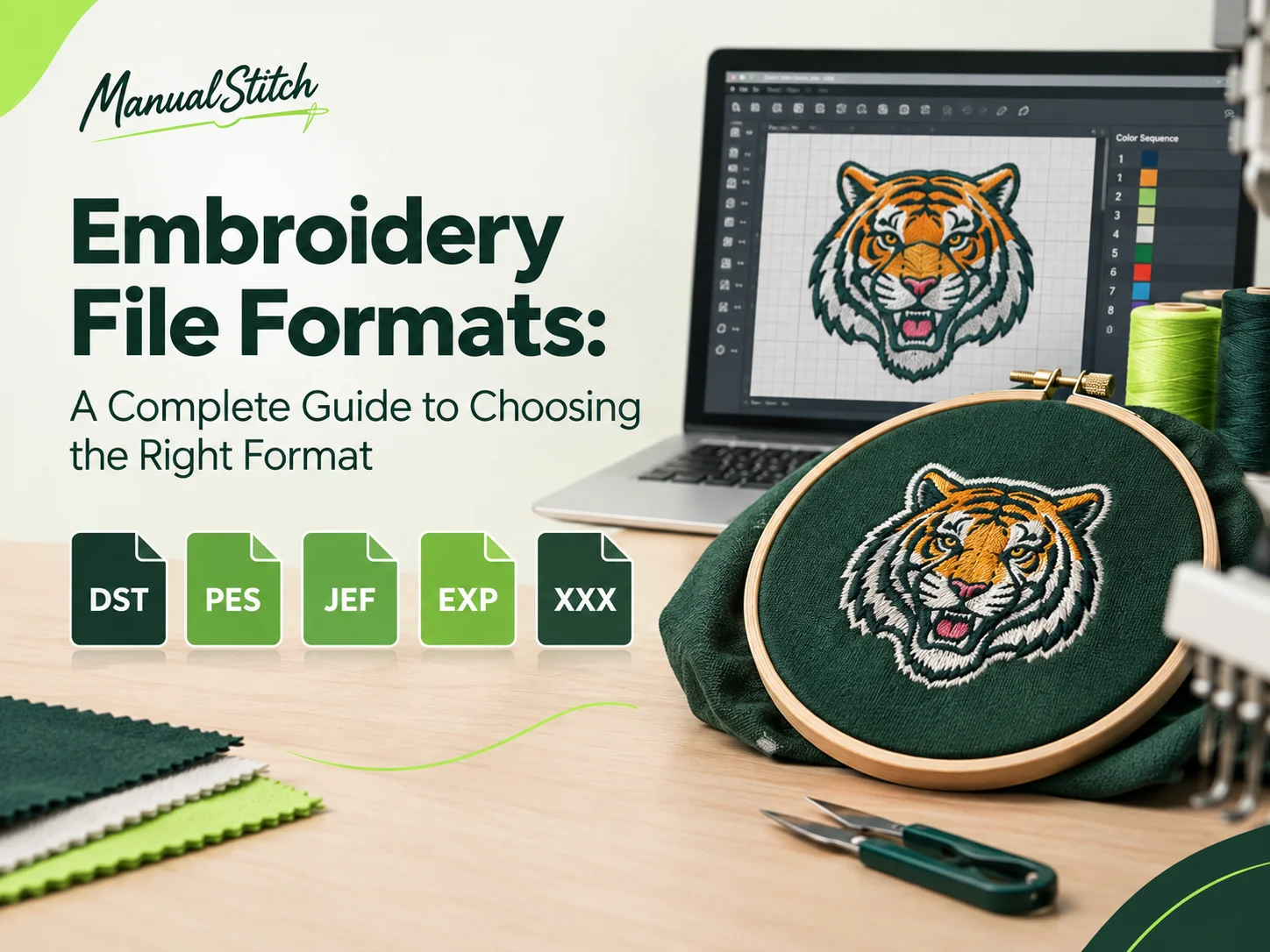
There are several embroidery file formats available, and the right one depends largely on the embroidery machine, software, and production setup being used. DST, PES, JEF, EXP, and XXX are among the formats you are most likely to encounter, but there are many others designed for particular machines and software.
Understanding the differences between these formats can help you avoid sending the wrong file, losing important design information, or discovering that your embroidery machine cannot open the file you received.
What Is an Embroidery File Format?
An embroidery file format is a digital format that stores the information an embroidery machine needs to stitch a design.
A normal image file such as JPG contains pixels. A PNG can contain pixels with transparency. These files show what a design looks like, but they do not normally contain the machine instructions required to stitch that design.
An embroidery file is different. It contains stitch-based information that tells the machine where and how to move.
Depending on the format and software, an embroidery file can contain information related to:
- Stitch coordinates
- Stitch sequence
- Stitch types
- Thread changes
- Color information
- Jump stitches
- Trim commands
- Design dimensions
- Machine commands
- Needle assignments
- Stitch density
- Underlay and other digitizing information
This is why simply changing the extension of an image from .jpg to .dst, for example, does not turn it into an embroidery design. The artwork first needs to be digitized, meaning it must be converted into a stitch-based design.
Why Embroidery File Formats Matter
Choosing the correct embroidery file format is an important part of preparing a design for production.
Different embroidery machines and machine brands use different native or preferred formats. A file that works on one machine may not work correctly on another, or it may need to be converted before it can be used.
The format can also affect which machine commands and design information are preserved during the production process.
For example, a commercial embroidery shop may commonly request a DST file, while someone using a Brother home embroidery machine may need a PES file. A Janome machine may require a JEF file.
The important point is simple: the embroidery file needs to match the machine and software being used.
Before ordering digitizing or sending a design to production, it is worth checking the machine’s manual or asking the embroiderer which file format they require.
Common Embroidery File Formats
Let’s look at some of the most common embroidery formats and where they are typically used.
DST — Tajima Embroidery File
DST is one of the most widely recognized embroidery file formats, particularly in commercial embroidery.
The format was developed for Tajima embroidery machines and is commonly supported by many commercial embroidery systems and embroidery software programs.
DST files are widely used because of their compatibility and long-standing presence in the embroidery industry.
A DST file primarily contains stitch movement information and machine commands. Depending on the software used to create or convert the file, some design information may not be preserved in the same way as it exists in the original digitized file.
DST is commonly associated with:
- Commercial embroidery machines
- Tajima machines
- Contract embroidery
- Custom logo embroidery
- Uniform embroidery
- Patches
- Caps and hats
- Large embroidery production
If an embroidery business asks for a DST file, they are usually requesting a machine-ready stitch file suitable for their production setup.
PES — Brother Embroidery File
PES is commonly associated with Brother embroidery machines and is widely used by home and small-business embroiderers.
PES files can contain embroidery design information, including stitch data and color information, and are supported by various Brother-compatible embroidery systems and software.
The format is particularly common for:
- Brother embroidery machines
- Home embroidery
- Small embroidery businesses
- Personalized clothing
- Monogramming
- Custom embroidery designs
If you have a Brother machine, checking the exact model’s supported formats is still important because compatibility can vary between machines.
JEF — Janome Embroidery File
JEF is a common embroidery format associated with Janome embroidery machines.
It is frequently used for designs created for Janome-compatible embroidery equipment and software.
JEF files may be used for:
- Janome embroidery machines
- Home embroidery
- Personalized garments
- Monograms
- Custom embroidery designs
- Detailed embroidery projects
If your machine requires JEF, the digitizer can normally export the completed design in that format after the embroidery design has been prepared.
EXP — Melco Embroidery File
EXP is associated with Melco embroidery systems and is also encountered in some commercial embroidery workflows.
The format is commonly used for machine embroidery and can be suitable for certain commercial embroidery machines and software.
EXP may be requested for:
- Melco machines
- Commercial embroidery
- Production embroidery
- Specialized embroidery workflows
As with other formats, the exact requirements can depend on the machine, software, and production setup.
XXX — Singer Embroidery File
XXX is a format associated with Singer embroidery machines and compatible systems.
It can be used for various embroidery designs, particularly in home embroidery environments.
If a Singer machine is being used, the machine’s documentation should be checked to confirm whether XXX is the correct format for that particular model.
Other Embroidery File Formats
DST, PES, JEF, EXP, and XXX are not the only embroidery formats.
Depending on the machine and software, you may also encounter formats such as:
- HUS
- VIP
- VP3
- SHV
- ART
- EMB
- TAP
- PCS
Some of these formats are associated with particular embroidery software or machine families.
There is also an important distinction between editable/native design files and machine embroidery files.
For example, an EMB file can be associated with Wilcom’s embroidery software and can retain much more editable design information than a basic machine stitch file. A digitizer may keep a native working file for future editing while providing the customer with the machine format required for production.
Embroidery Machine Formats vs. Native Design Files
Not every embroidery file serves the same purpose.
A machine format is generally intended to provide the embroidery machine with the instructions required to stitch the design.
A native design file, on the other hand, can contain more information about how the design was constructed and may allow a digitizer to make more substantial edits.
For example, a digitizer may work on a design using professional embroidery software and maintain the original working file. The final customer may receive DST, PES, JEF, or another machine format depending on the embroidery machine being used.
This distinction matters when you need to make future changes.
If you think the design may need significant editing later, it is useful to ask whether the original editable file can also be retained or supplied.
What Information Does an Embroidery File Contain?
An embroidery file is more than a digital picture of your design.
The file can contain machine-readable information such as:
Stitch Coordinates
These define the movement of the needle and help determine where individual stitches are placed.
Stitch Sequence
The sequence determines which part of the design is stitched first, second, third, and so on.
Proper sequencing can reduce unnecessary movement and help produce a cleaner finished design.
Stitch Types
Different areas of artwork may require different stitch types, including:
- Running stitches
- Satin stitches
- Fill stitches
- Tatami fills
- Column stitches
The choice depends on the shape, size, detail, fabric, and intended appearance of the design.
Thread Colors
Color information can help identify thread changes and organize the design.
The exact thread appearance will still depend on the thread brand, material, color selection, and embroidery process.
Jump and Trim Commands
Machine-readable commands can tell an embroidery machine when to move without stitching and, depending on the setup, when a thread should be trimmed.
Design Size
The embroidery file can contain information about the dimensions of the digitized design. This is one reason it is important to specify the required embroidery size before digitizing.
Does the File Format Affect Embroidery Quality?
The file format itself is only one part of the final result.
A machine-ready file can be technically compatible with a machine and still produce poor embroidery if the underlying digitizing is not properly prepared.
Embroidery quality depends on several factors, including:
- Artwork preparation
- Stitch type selection
- Stitch density
- Underlay
- Stitch direction
- Pull compensation
- Design size
- Fabric
- Thread
- Needle
- Machine settings
- Hooping
- Machine condition
For this reason, converting an existing file from one format to another does not automatically improve the embroidery.
The original digitizing decisions still matter.
What Is the Best Embroidery File Format?
There isn’t one embroidery file format that is universally best for every machine.
The correct format is the one supported by the embroidery machine and production setup being used.
For example:
| Machine / System | Common Format |
|---|---|
| Tajima / commercial embroidery | DST |
| Brother | PES |
| Janome | JEF |
| Melco | EXP |
| Singer | XXX |
These associations are general rather than absolute. Machine models and software can support additional formats, so the manufacturer’s documentation should always be checked.
If you are ordering a custom embroidery design, the simplest approach is to tell the digitizer the exact machine model or required file format.
Can One Embroidery Design Be Provided in Multiple Formats?
Yes. A single digitized design can often be exported into multiple machine formats.
For example, a customer may need:
- DST for a commercial embroidery machine
- PES for a Brother machine
- JEF for a Janome machine
However, this does not mean that changing formats is the same as creating separate digitizations.
The underlying stitch design can often be exported into another compatible format, but the resulting file should still be checked for compatibility and machine-specific requirements.
If the same design will be used across different machines, tell the digitizer this before the files are prepared.
What File Format Should You Send to an Embroidery Digitizer?
When requesting embroidery digitizing, the starting artwork does not necessarily need to be an embroidery file.
You can often provide:
- PNG
- JPG
- AI
- EPS
- SVG
- Other available artwork
A vector file such as AI, EPS, or SVG can be particularly useful when available because it may provide clean shapes and details that are easier to interpret than a small, low-resolution image.
However, a digitizer can often work from raster artwork as well. The complexity and quality of the source artwork can affect the amount of preparation required.
More importantly, tell the digitizer:
- What you want embroidered
- The finished embroidery size
- The garment or material
- The placement
- The machine or required file format
- Any specific thread or color requirements
This information helps the digitizer prepare the design for its intended use rather than simply converting the artwork into a generic stitch file.
Can JPG or PNG Be Converted Directly to DST?
Not in the same way that you would convert one image format to another.
A JPG or PNG is an image. A DST file contains embroidery stitch instructions.
The artwork needs to be interpreted and digitized before it becomes a usable embroidery file.
During digitizing, the artwork is broken into stitchable elements. The digitizer determines:
- Which areas should be filled
- Which areas should use satin stitches
- Where running stitches are appropriate
- Stitch direction
- Density
- Underlay
- Pull compensation
- Stitch sequence
- Thread changes
- Design size
This is why professional embroidery digitizing involves more than pressing an automatic conversion button.
Why the Embroidery Size Matters
The same artwork can require different digitizing decisions at different sizes.
A logo intended to be embroidered at 3 inches wide may need different treatment from the same logo embroidered at 10 inches wide.
Small lettering can become difficult to reproduce if there are too many details or if the stitches are too dense. Fine outlines may also need to be simplified.
When ordering digitizing, always provide the intended finished size whenever possible.
The garment and placement matter too. A design intended for a cap may need different considerations from one intended for the back of a jacket.
Embroidery Files for Hats, Apparel, and Patches
The machine format is only part of preparing a design for a particular product.
A design intended for a:
- Baseball cap
- Polo shirt
- T-shirt
- Jacket
- Work uniform
- Embroidered patch
- Bag
- Towel
may require different digitizing decisions based on the material, available embroidery area, stability, and placement.
For example, curved areas such as caps can present different challenges from a flat garment panel. Thick fabrics may also require different stitch planning from lightweight fabrics.
This is why the intended application should be communicated before digitizing.
How to Choose the Right Embroidery File Format
If you’re unsure which format you need, follow these steps.
1. Check Your Machine
Look at the manufacturer’s documentation or machine settings to identify supported embroidery formats.
2. Identify the Exact Model
Knowing the brand alone may not be enough. Different models can support different formats and file specifications.
3. Ask Your Embroidery Shop
If another company will be stitching your design, ask them which format they require.
4. Tell Your Digitizer
Provide the required format when ordering the digitized design.
5. Request Additional Formats if Needed
If you plan to use the design on multiple machines, ask whether the design can be supplied in the formats required by each machine.
Embroidery File Format FAQs
What is the most common embroidery file format?
DST is one of the most widely used embroidery file formats, particularly in commercial embroidery. However, the most appropriate format depends on the machine being used.
Is DST better than PES?
Neither format is universally better. DST and PES serve different machine ecosystems and workflows. The correct choice depends on your embroidery machine.
What format does a Brother embroidery machine use?
PES is commonly associated with Brother embroidery machines, although supported formats vary by model. Check the manual for your exact machine.
What format does a Janome embroidery machine use?
JEF is commonly associated with Janome embroidery machines. Your specific model may support additional formats.
What format does a Tajima embroidery machine use?
DST is commonly used with Tajima and other commercial embroidery systems.
Can I convert PES to DST?
Embroidery software can often convert between compatible embroidery formats. However, the converted file should be checked to make sure the design, colors, stitch information, and machine commands are appropriate for the target machine.
Can I use a JPG file on an embroidery machine?
Normally, no. A JPG is an image file rather than a machine-ready embroidery file. The artwork needs to be digitized into a supported embroidery format.
Can I use an SVG file directly for embroidery?
An SVG is a vector graphics format, not normally a machine stitch format. It can provide useful source artwork for digitizing, but it generally needs to be converted into an embroidery design before it can be stitched.
Do I need a different file for every embroidery machine?
Possibly. Different machines can require different formats. If you plan to use the same design on multiple machines, ask your digitizer to provide the appropriate formats.
Does changing the file format change the design?
A format conversion should preserve the underlying stitch design as much as possible, but different formats support different information and machine commands. Converted files should therefore be checked before production.
Should I keep my original embroidery file?
If possible, yes. Keeping the original working or editable design can make future revisions easier, especially when you need to change size, lettering, colors, or other design elements.
Final Thoughts
Embroidery file formats can seem confusing at first, but the basic principle is straightforward: your embroidery machine needs a file format it can read.
DST, PES, JEF, EXP, and XXX are some of the most common formats, but the right choice depends on the machine, model, software, and production setup.
The file format is also only one part of a successful embroidery project. Good digitizing takes into account the artwork, finished size, fabric, placement, stitch types, density, underlay, thread sequence, and machine requirements.
If you have artwork that needs to be prepared for embroidery, start by identifying the machine or file format required. From there, the design can be digitized into a machine-ready stitch file suited to its intended application.

Babar Ali
Babar is the person behind Manual Stitch, providing manual embroidery digitizing and vector tracing services. He works directly on each project, preparing artwork with attention to detail, stitch quality, and how the final file will be used. Through years of working with clients online, he has developed a practical approach to creating clean, usable files for embroidery and print.
Babar Ali
Babar is an embroidery digitizer and vector artist behind Manual Stitch. His experience comes from working on a wide range of client projects through online freelance platforms. Today, he brings that experience together through Manual Stitch, focusing on carefully prepared embroidery files and clean vector artwork.
Related Articles
No posts